What is the size of a gift card for a wallet?
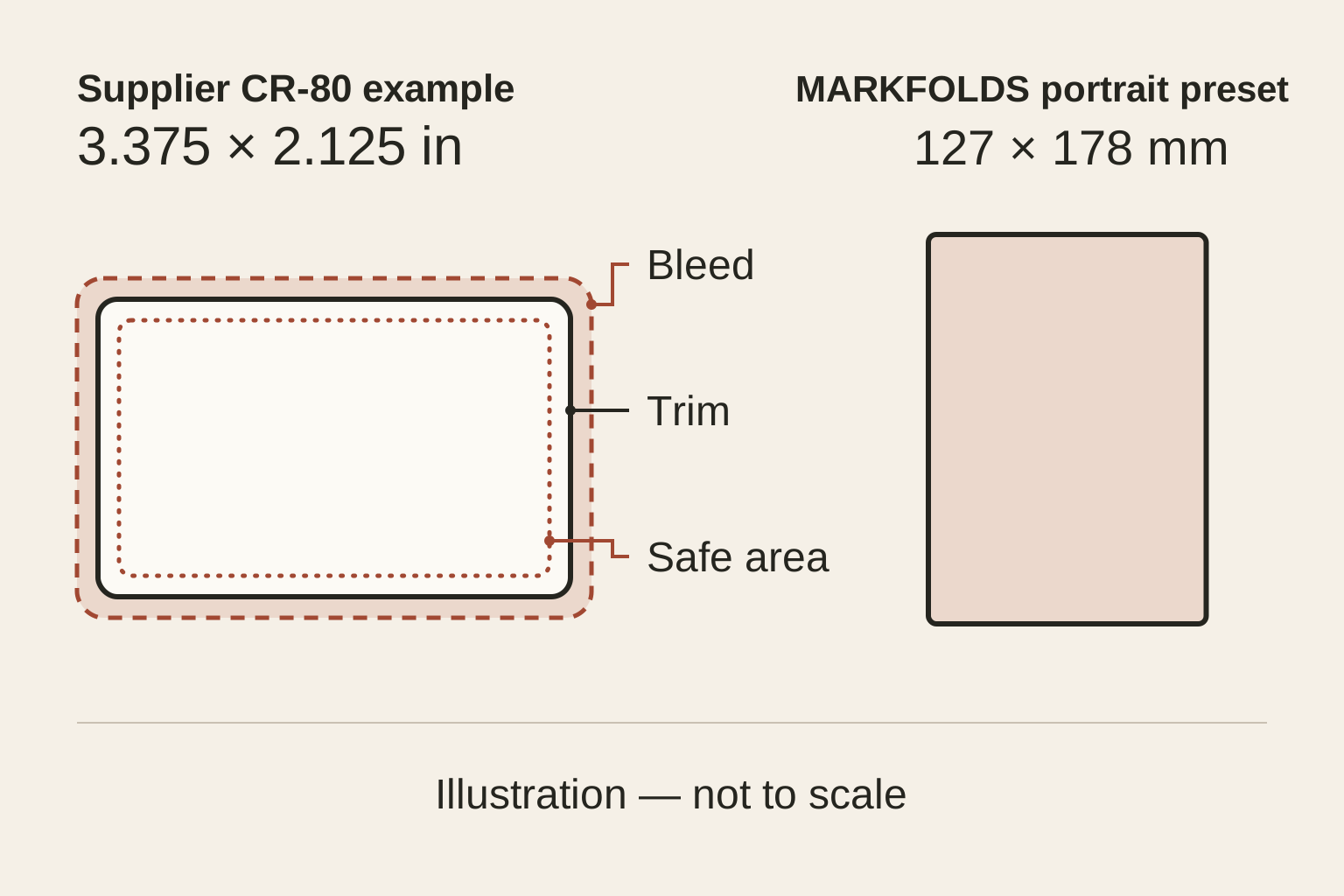
The Fiserv and CPI examples use 3.375 × 2.125 inches. Confirm the specification for the card you plan to produce.

Gift card size guide / Reviewed September 4, 2026
Fiserv and CPI Card Group specify a finished CR-80 gift card size of 3.375 × 2.125 inches in their artwork guides. Larger presentation cards use other formats, so there is no single size for every gift card.
Before creating artwork, decide what the recipient will hold. Is it a small wallet card, a larger card inside a gift box, or a carrier holding a separate card? These are different design jobs.
Start with the finished object, not the size of the image on your screen.
A wallet card has limited room. It suits a clear brand name, a short message and essential details. A larger presentation card gives the design more space. It serves a different purpose from a wallet card.
The size of a gift card also differs from its envelope, sleeve or folded carrier. Measure those separately. Leave room to insert and remove the card without covering important details.
In MARKFOLDS, Classic wallet card has a planning size of 85.6 × 54 mm. Gift card portrait uses 127 × 178 mm. These artwork presets do not promise that an exported file meets every printer's specification.
For a card inside an order, check the packed space before choosing a format.
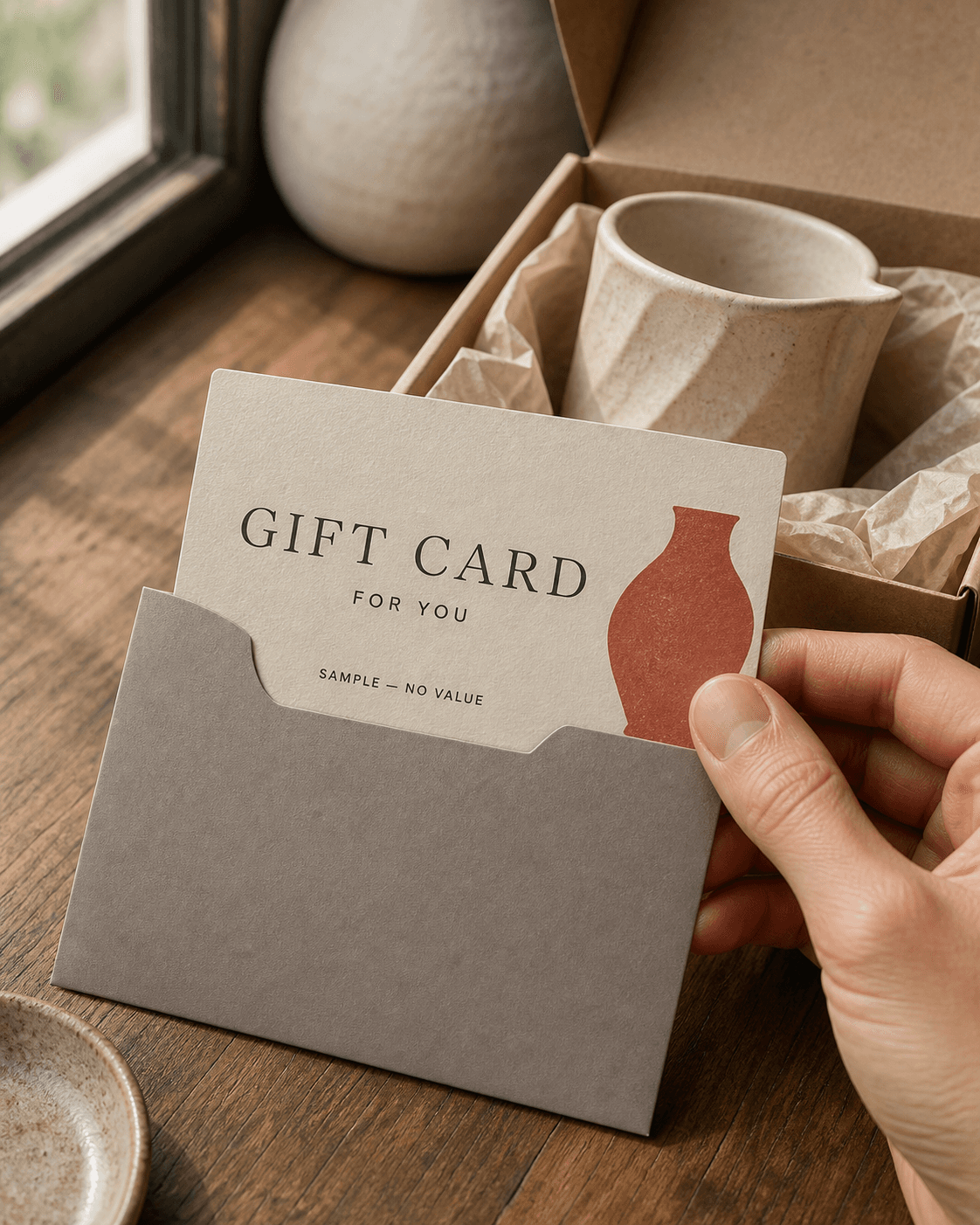
Consider a fictional ceramics studio comparing two gift card designs.
For a wallet card, the studio could keep the Front to its name and one short gift message. The Back needs space for the business's own details. If the copy feels cramped, remove extra decoration or shorten optional wording. Do not shrink essential text just to fit.
For a larger presentation card, the studio could give a ceramic illustration more room beside the message. It would check the card against its gift box or envelope. More space is useful only if the recipient can handle and read the card easily.
Neither choice solves the business's gift-card payment or redemption process. The choice sets the artwork's shape and reading space.
Three boundaries matter:
Two suppliers use the same finished dimensions but require different artwork sizes:
These are supplier-specific examples. Do not swap one template for the other. Download your chosen printer's current specification before preparing the final file. Check its safety zones and any reserved areas on the Back.
On the Front, set a reading order: brand, gift message and printed value if needed. Let one element lead. A larger logo cannot fix a layout where everything has equal weight.
On the Back, leave room for details from the business. These may include its own code, destination or required instructions. Keep them away from the cut edge and any reserved production area.
Check how the recipient will turn the card over. Both sides should read in the intended direction when held, not only as separate screen previews. Mark the top edge on a paper sample to test how it handles.
A printed amount or code is only artwork. It does not create a funded balance or make the card redeemable. The business needs a separate system or process to honour its gift cards.
Describe a clear layout, not just a beautiful card. For example:
Create gift-card artwork for a fictional ceramics studio. Use a calm landscape layout.
Give the Front one bold brand name and a short gift message. Leave clear space on the Back for business-supplied details.
Use warm cream, dark ink and one clay-red accent.
In MARKFOLDS, sign in, choose Gift card, and review the format and any restored settings. Add your brand details and choose whether the design needs a printed value.
Inspect both sides before exporting. Check every name, number, code and URL; generated text can need correction. MARKFOLDS supports PNG delivery and conditional SVG delivery. It does not issue stored value, manage balances, redeem gift cards or print and mail them.
View a proof at the intended physical scale before ordering. Check the actual export against the printer's rules. A format label alone does not confirm file dimensions, bleed, colour settings or whether the file will work for print.
Use this short preflight checklist:
The Fiserv and CPI examples use 3.375 × 2.125 inches. Confirm the specification for the card you plan to produce.
Choose the finished format first. Then use the selected provider's artwork dimensions and safety zones. Keep card, holder and carrier measurements separate.
Ready to explore the visual direction? Choose Gift card and review both sides.
Generate Yours