
Valentine Card Design: Ideas, Messages and a Clear Layout
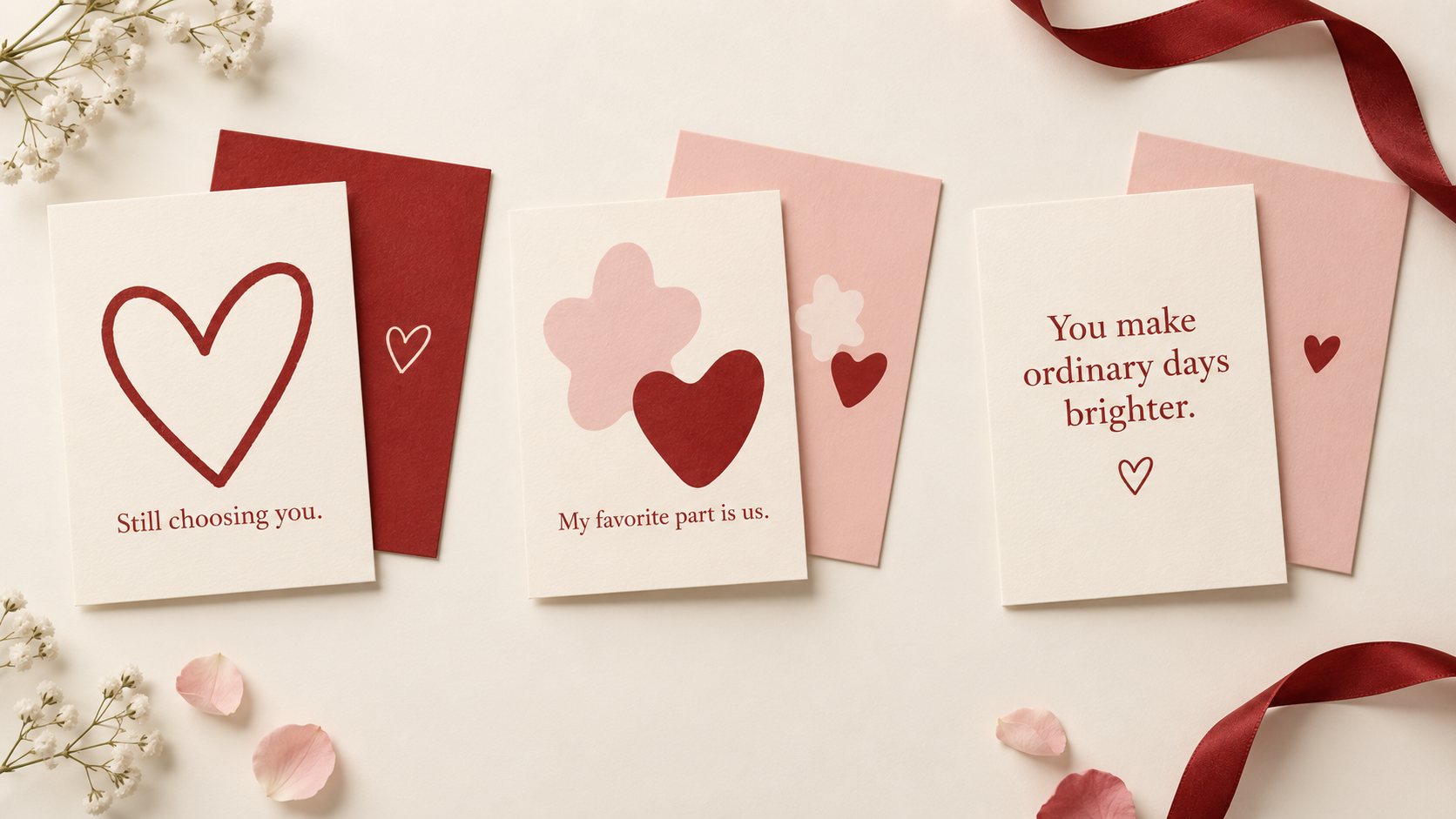
AI-generated design concept illustration; not a MARKFOLDS product screenshot or downloadable template.
Valentine card design starts with one clear message. Choose a recipient and write a short line.
MARKFOLDS creates coordinated Front and Back digital artwork through Others. You arrange printing and sending.
Start with the person and the message
Choose a warm, grateful or playful tone for your recipient.
Use familiar words and keep private details out of shared artwork.
Put the greeting on the Front and the continuation and sender on the Back.
Short Valentine messages to build around
Adapt one of these original lines to your relationship:
- “My favorite part is us.”
- “You make ordinary days brighter.”
- “Still choosing you.”
- “Grateful for your friendship.”
- “Love, in all the little things.”
- “Here’s to more shared adventures.”
Read it aloud. Check names and choose jokes for your recipient.
Use one motif and readable words for your Valentine card ideas.
Funny Valentine cards: six short message pairs
Funny Valentine cards suit shared habits and gentle jokes. Avoid jokes about appearance, age or private worries.
These original pairs connect the Front setup and Back reply:
| Front | Back |
|---|---|
| “Officially fond of you.” | “No paperwork required.” |
| “You improve my timetable.” | “Snack breaks now happen together.” |
| “I brought the grand gesture.” | “It fits on this small card.” |
| “My best plans include you.” | “And an unreasonable amount of cake.” |
| “Still my favorite teammate.” | “Even when we both lose the keys.” |
| “Team us: undefeated.” | “At staying in on Fridays.” |
Use a cake slice, calendar or abstract shapes as a small motif. Keep the Back reply and sender clear.
Humorous Valentine cards should show affection. Add your Front line in Slogan and the Back idea in your brief. Exact wording and placement can vary.
Valentines card design: three layouts to adapt
These original Front and Back briefs are not downloadable templates.
| Concept | Front | Back |
|---|---|---|
| Quiet heart | One small outline heart beside “Still choosing you.” Leave space around both. | Repeat the heart at a smaller scale, with a short note and a clear sender. |
| Playful pair | Two simple abstract shapes around “My favorite part is us.” Keep the message clear of the shapes. | Repeat one shape near a corner; let the continuation sit in an open area. |
| Words first | Make “You make ordinary days brighter” the main element, with one small decorative detail. | Use a matching accent and a brief sign-off, rather than a second large headline. |
Try ivory with red accents. Check actual contrast at the final size.
Repeat a small palette and keep artwork clear of words.
Choose an online valentines card maker
Choose an online valentines card maker around the result you need.
MARKFOLDS has no dedicated Valentine preset, template gallery, personal photo upload or automatic ecard delivery.
To share online, attach the approved PNG in your own email or messaging service.
Use another editor for personal photos, exact text placement or a complete folded-card layout.
Create the artwork in MARKFOLDS
- Enter the required Brand or project name and choose Others.
- Describe the card: “One outline heart, open space and a warm ivory background.”
- Add a short line in Slogan, such as “Still choosing you.”
- Review the available format and visual choices.
- Generate and check Front and Back together. Review names, spelling, line breaks and balance.
- Revise the brief if needed, then check the new pair.
Results can vary. Check every word before using the card.
See how to make your first MARKFOLDS card for the current workflow.
Check and export the finished design
Inspect previews and downloaded files at the final size. Keep words clear of the edges.
Download PNG, or SVG when the saved artwork and your plan offer it. Some visuals may not remain editable vectors. Check Product Facts and Pricing for current allowances.
Confirm the printer's size, bleed and file requirements. Separate Front and Back artwork is not an automatic four-panel folded-card production file. See the greeting card size guide, then get the printer's approval.
Frequently asked questions
Can I make and send Valentine cards online with MARKFOLDS?
You can create a card as digital artwork. Choose Others, describe the Valentine purpose and review both sides. Download the approved PNG, then attach it in your own email or messaging service. MARKFOLDS does not automatically send an electronic greeting.
Can I upload a personal photo for my Valentine card?
Personal photo upload is not supported in this workflow. Use a suitable photo or layout editor if your card needs your own photograph.
Can I download a Valentine card as SVG?
Use SVG when the saved artwork and current plan show that option. Check the actual file; some visuals may not remain editable vectors. PNG is also available.
Does MARKFOLDS print or send Valentine cards?
No. MARKFOLDS creates digital artwork. You arrange printing, sharing or sending separately; it does not automatically deliver an electronic greeting.
Open the card generator, choose Others and start with one short message.