
Sympathy card design guide / Reviewed October 3, 2026
Sympathy Card Template: Short Messages and Design
Use a sympathy card template as a starting layout, then add a short line that suits the person. Keep the message easy to read and give it space. In MARKFOLDS, choose Others to describe this card purpose, review separate Front and Back artwork, and download supported files. You arrange printing and sending separately.
What to put on a sympathy card
A sorry for your loss card needs a clear message and a sender the person can recognise. Start with those two things. Add a personal detail only when you know it is true and welcome.
Before choosing colours or a motif, answer three questions:
- Who will receive the card, and how well do you know them?
- Which short words feel natural for you to say?
- Will you share the card as an image or ask a separate provider to print it?
Finding the right words for sympathy card messages can feel hard. You do not need perfect words or a way to explain the loss. Short sympathy messages can show care in a time of loss.
You might address one friend or a family member. Keep private details off the artwork unless they agree to share them. Leave the grieving person free to read the message without a duty to reply.
Simple sympathy card messages
Use these short, original sympathy card suggestions for a condolence note. Pick one message for the sympathy card. Express sympathy in words you would say yourself.
- “With heartfelt sympathy.”
- “Thinking of you with care.”
- “With deepest sympathy.”
- “Remembering [name] with love.”
- “With heartfelt condolences to you and your family.”
- “Wishing you comfort and peace.”
Replace the bracketed name only after checking it. If you offer support, promise only help you can give. A specific, private note may be better than placing a promise on the card.
For pet sympathy cards, write to the person who has lost the pet. Check the person's name and the pet's name separately. If “Remembering [name] with love” suits them, name the pet. Do the same for dog sympathy cards. Share only true, suitable memories. Omit names or details you cannot check.
For sympathy card wording, plain language is often enough. Aim to offer comfort without telling the person how to feel or when to feel better.
Short sympathy card lines such as “Sending love” may suit a friend. “With sincere condolences” may fit a more formal note. Use “thoughts and prayers” only if prayer fits the person’s beliefs. Otherwise, a plain line about care may feel more natural.
Read the line aloud. If it sounds like a slogan for a sale, remove the promotion. Sympathy card greetings should leave room for the recipient, without a request to buy, scan or respond.
Three sympathy card templates you can adapt
In this guide, a template is a short message paired with a Front and Back layout. Use these examples to plan the words and layout before you make the artwork.
| Layout | Front | Back |
|---|---|---|
| Quiet botanical | One small leaf beside “With heartfelt sympathy.” | A matching small detail, a short note and the sender. |
| Words first | “Thinking of you with care” with generous space around it. | A brief personal line, with the sender clearly separated. |
| Gentle remembrance | “Remembering [name] with love” and one simple motif. | One true memory or a short line, plus the sender. |
These sympathy card ideas share one rule: let the message lead. Choose a calm colour palette and enough contrast to read the words. A detailed illustration can take attention away from a short, personal line.
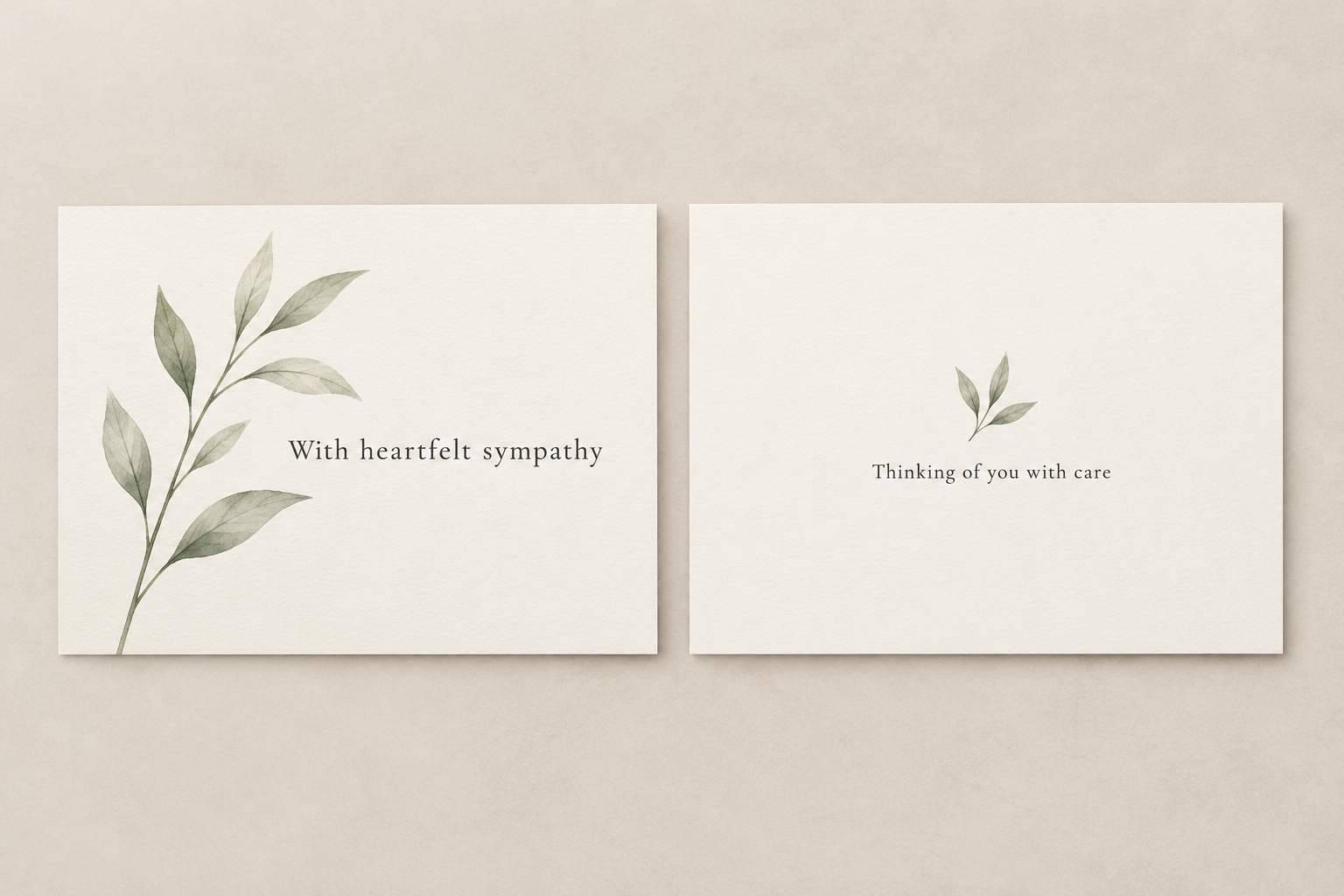
The two panels show separate surfaces. They do not represent a complete folded-card print layout. If you plan to fold the card, confirm the open size, folds and panel order with your printer. The greeting card size guide explains these measurements.
Make digital card artwork in MARKFOLDS
When you are writing a sympathy card, choose the words before you generate the design. You can use the custom card purpose to describe the sympathy card you want.
- Open the generator and select Others.
- Describe the card type. For example: “A simple sympathy card with a small leaf motif, ample space and calm colours.”
- Add one approved short line in Slogan, such as “With heartfelt sympathy.”
- Review the available format and visual choices. Keep the words easy to read.
- Generate and inspect both Front and Back. Check every letter, name and line break before confirming the saved version.
The short Slogan field suits a brief card line. Generated text may need correction. If a longer personal note must stay word for word, use a suitable layout tool for that final text and review the result.
For the current steps and export choices, read how to make your first MARKFOLDS card. The workflow creates digital artwork; it does not send an electronic greeting to the recipient.
Check the design before sharing or printing
View the card at the size the person will see. A line that looks clear when enlarged may be hard to read on a small card or phone.
- Check the recipient and sender names against the approved wording.
- Read both sides in the intended order.
- Keep the message clear of edges and busy artwork.
- Check the downloaded file, not only the preview.
- For a printed card, ask the chosen provider to approve the final file.
MARKFOLDS provides PNG and conditional SVG delivery. SVG availability depends on the plan, saved artwork and options shown for that design. Not every visual remains editable vector artwork. Confirm current delivery details in Product Facts and Pricing.
A file extension alone does not confirm a printer's requirements. Ask the printer about bleed, colour and folds. Use its template for final file setup. Have the printer check the result before you pay for a batch.
Frequently asked questions
What can I write on a sorry for your loss card?
Choose a brief line that feels natural, such as “With heartfelt sympathy” or “Thinking of you with care.” Add the sender, check any names and keep personal details appropriate to the relationship. You do not need to ask for a reply.
Can I make a sympathy card in MARKFOLDS?
Yes. Choose Others, describe the card purpose and use a short approved message in the Slogan field. Review the generated Front and Back carefully. MARKFOLDS does not have a dedicated sympathy preset.
Can I download the sympathy card as SVG?
SVG is available when the saved artwork and current plan show that export option. Check the actual file before use; some visuals may not remain editable vectors. MARKFOLDS also provides PNG files.
Does MARKFOLDS print or send the card?
No. MARKFOLDS creates digital artwork in its supported formats. You share the image or arrange printing and sending yourself. Ask the provider to check the file before printing.
Ready to plan the artwork? Open the card generator, choose Others and start with one short message.