
New baby card guide / Reviewed October 8, 2026
New Baby Card Messages: What to Write and Simple Designs
A new baby card message can be simple: welcome the little one, send a kind wish to the parents and sign your name. Choose words that sound like you. Then build a calm design around one short greeting.
What do you write in a new baby card?
Start with congratulations, a welcome or a warm wish. You do not need a long speech. Address the parents by the names they use, and add the baby’s name only when they have shared and confirmed it.
When deciding what to write on a new baby card, think about your relationship. A close friend can sound affectionate. A colleague can keep the wording warm and brief. A group should choose a line that everyone signing can support. For a classic tone, try “Congratulations on your bundle of joy.” If the family likes warm words, “Congratulations on your beautiful new arrival” can fit. Choose one greeting, then add your name.
For a newborn congratulations card, follow what the family has shared. Avoid guessing about health, the birth, future children or family roles. If you know little about their situation, “Sending love to your family” works without assumptions. Ask before including family members in a group message or using a private photo. A greeting can feel personal without sharing details the parents wish to keep private.
Keep humour gentle. Funny messages should suit the people receiving them. A shared joke can fit close friends, but tired-parent jokes may feel unwelcome. Read the line aloud and choose a kinder version if you are unsure. “We cannot wait to meet your newest addition” can express excitement without asking for a visit. Let the parents choose when they feel ready to welcome guests.
Short wishes you can make your own
Use these original examples as starting points. The Front and Back columns are layout ideas, not ready-made presets or guaranteed text placement. Pick a pair that feels natural for your relationship. You can use just the Front greeting when a longer note belongs elsewhere.
| Tone or sender | Front greeting | Back note |
|---|---|---|
| Simple | Hello, little one. | Love to your family. From [Sender]. |
| Warm congratulations | Congratulations on the arrival of your little one. | Wishing your growing family love and joy. |
| For a close friend | So happy for you and your family. | Sending love and support. No reply needed. |
| From colleagues | Warm wishes on your new arrival. | Congratulations from all of us at [Team]. |
| A gentle playful line | A tiny hello. A warm welcome. | With love from [Sender]. |
| For the whole family | A warm welcome to your newest member. | Wishing you days filled with love and laughter. |
Replace the brackets with checked details. If you offer help, make it specific and easy to decline: “I can drop dinner off on Tuesday if that helps.” Promise only what you can do. A short sign-off makes the sender clear. For a card from colleagues, use the team name the parents know. Keep private phone numbers and addresses out of a shared image.
What to write in a new baby boy card
For a new baby boy card, use the family’s own wording. Try “A warm welcome to your little boy” or “Congratulations on welcoming your son.” A neutral greeting such as “Hello, little one” also fits.
Choose a favourite colour or a small star rather than guessing a theme from gender. Keep names, dates and any sibling mention accurate. You can celebrate the whole family without assigning anyone a new role. “Warm wishes to you and your precious baby” offers another gentle option. Check that the words match how the family describes their arrival.
Plan a simple Front and Back
Give the Front one greeting and a small motif: a moon, star or leaf. Use clear dark lettering against a light background. Leave space around the words.
Plan the Back for a brief wish and sender. Repeat one colour or motif to connect the sides. Review small text at the size you intend to share. Keep both sides in the same orientation. Give a longer sentence its own line, and avoid placing pale letters over a busy illustration. Read the design on a phone as well as a larger screen.
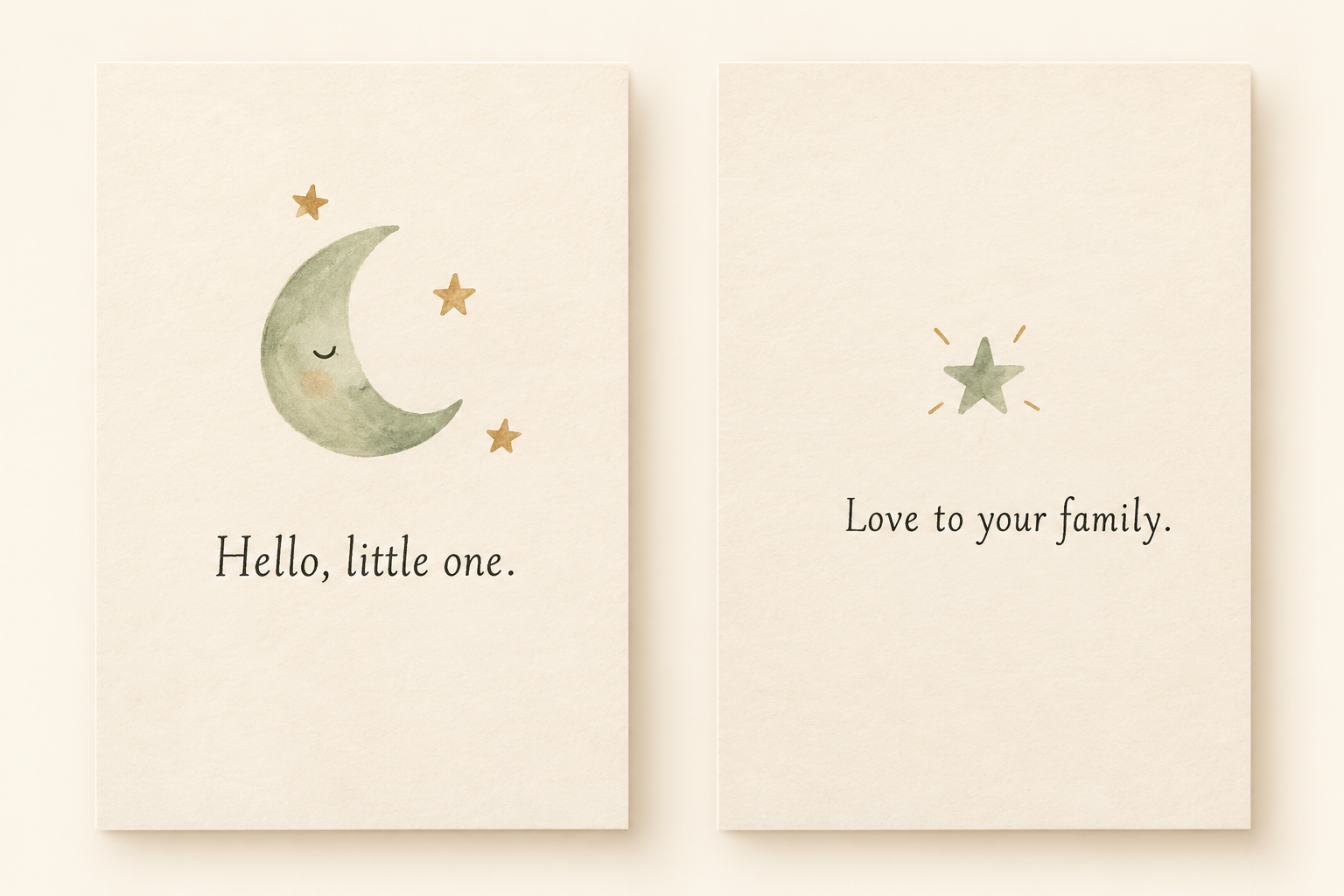
Separate Front and Back artwork is not a complete folded-card print layout. For format planning, use the greeting card size guide.
Create digital artwork in MARKFOLDS
MARKFOLDS creates coordinated digital card artwork. Start with your approved short greeting and a clear visual direction.
- Sign in and choose Others.
- Describe the purpose: “New baby congratulations card with a small sage moon.”
- Add “Hello, little one” in the optional Slogan field.
- Choose the available format, colours and style.
- Generate, inspect Front and Back, revise if needed and confirm the saved version.
Others accepts 3–120 characters. Keep Slogan within 80 characters. MARKFOLDS uses it when the format has room and can leave it out when it does not fit. Check spelling and placement; generation does not guarantee exact wording.
Keep longer thoughts in a separate personal note. Follow the first-card workflow for current steps.
Check before sharing
Open the saved download and read both sides. Check names, the sender, contrast and any URL. Share the reviewed artwork through your own channel.
MARKFOLDS supports PNG and conditional SVG. Check Product Facts and Pricing for current availability. An SVG extension alone does not make every visual editable or confirm printer requirements.
Frequently asked questions
What is a simple new baby card message?
Try “Hello, little one. Love to your family.” Add your name and use the family’s preferred wording. A short, sincere wish is enough.
Can I make new baby card artwork with MARKFOLDS?
Yes. Sign in, choose Others and describe the card’s purpose. Add a short approved Slogan if useful, then review both sides. MARKFOLDS has no dedicated new baby preset.
Can MARKFOLDS put a long personal message on the card?
Keep Slogan within 80 characters. MARKFOLDS can leave it out when the format lacks room. Put longer wording in a separate note and check every generated word before sharing.
Does SVG mean the card is ready to print?
No. SVG availability depends on the saved artwork and plan, and not every visual remains editable vector artwork. Ask your printer to approve the file. MARKFOLDS does not print or post cards.
Open the MARKFOLDS card generator with one short greeting in mind.