
Mother’s Day card ideas that feel like her
Good Mother’s Day card ideas start with the person, not a stock bouquet. Choose the name she likes, one visual detail that suits her and a short, truthful thank-you. Keep the front clear; use the back for your note. These are ideas for static card artwork, not a printing or delivery service.
A Mother’s Day card for Mum might feel bold, funny or quietly affectionate. Mum, Mama, Nan or someone’s first name can all be right. Use the relationship and tone you actually share; you do not need to describe every mother as a superhero.
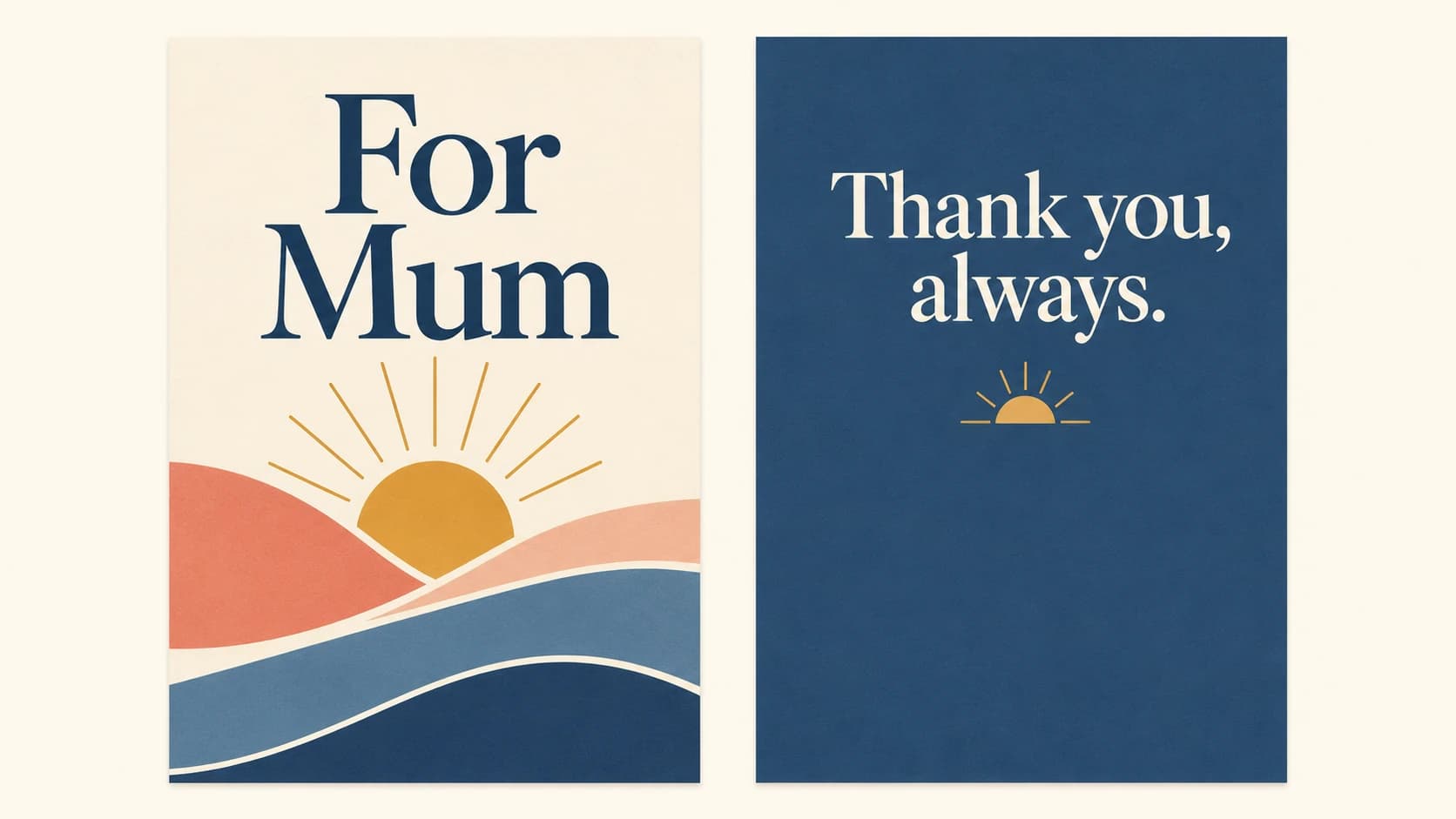
Three ways to make the design personal
Make her name the focal point
Give “Mum” or her preferred name the largest space on the front. Add a smaller “Happy Mother’s Day” line and one accent colour. On the back, repeat that colour around a brief note. This works when she likes clear lettering more than decoration.
Turn everyday thanks into a visual rhythm
Choose two or three things you genuinely appreciate: “Listening. Encouraging. Being there.” Pair each with a small abstract mark rather than a busy scene. Let the back carry one complete sentence of thanks. Only use words that fit your relationship.
Choose her taste, not the occasion’s stereotype
For cute Mother’s Day cards, try friendly shapes and a cheerful colour she enjoys. For a quieter design, use a single flowing line and plenty of space. Flowers are an option, not a rule. Pick one visual idea; mixing hearts, photographs, patterns and several fonts can bury the message.
Short messages for a happy Mother’s Day card
Use these as starting points, not claims about someone you do not know. Keep only a line that is true, and sign it in your usual way.
- “Thank you for making room for me, Mum.”
- “Your encouragement has meant more than I can say.”
- “For all the times you listened: thank you.”
- “Wishing you a day that feels as special as you are to me.”
- “Happy Mother’s Day, [name]. With love, [your name].”
A simple greeting is enough if a longer message would feel forced. Avoid promising “the best day ever” or adding a joke she would not enjoy.
Where to find a personalised Mother’s Day card design
Choose the tool around what you need. A ready-made template gallery, photo-collage editor or printed-and-posted card needs a service that explicitly offers it. MARKFOLDS is a web-based design workflow for planning card artwork; it is not those services.
For an original static direction, choose Others in the Generator and describe the card’s purpose. For example: “Personal Mother’s Day card for Mum with clear lettering and short thanks.” There is no dedicated Mother’s Day preset.
The optional Slogan can hold a short greeting such as “Happy Mother’s Day, Mum”. Its limit is 80 characters. Shared Artwork direction guides both Front and Back: ask for the same colours, one motif and a quieter back. These are design instructions, not guarantees of exact wording or placement.
Review spelling, names and both sides before downloading. Revise the inputs and review again if needed. For exact text or a longer back message, use a separate layout tool. Current capabilities are listed in Product Facts.
Check the card before you share it
Read the greeting at its intended size. Make sure the name and thanks stand out, and that the back belongs to the same design. PNG is available; SVG depends on the saved design and current plan. Do not assume every artwork becomes fully editable vector text.
If you plan to print, confirm dimensions, margins and file requirements with your printer separately. MARKFOLDS does not print, post or send the card for you.
Plan your Mother’s Day card in the Generator
Related: Quick Tips · Current plans · Greeting card size guide
FAQs
How do I choose a personalised Mother’s Day card design?
Start with her preferred name, a style she likes and one honest line of thanks. Choose a tool that matches the job: original static artwork, a template, a photo layout or physical delivery are different needs.
Does MARKFOLDS have a Mother’s Day preset?
No dedicated Mother’s Day preset is available. You can choose Others and describe the purpose. This is a design workflow, not a ready-made Mother’s Day card catalogue.
Can I put a long message on the back?
Artwork direction is shared across Front and Back, not a separate long-message editor. The optional Slogan is limited to 80 characters and may be used when it fits. Check the result; use another layout tool when exact or longer text is essential.
What can I download, and does MARKFOLDS send the card?
PNG is available, with SVG conditional on the saved design and current plan. Printing, posting and sending are outside MARKFOLDS. Confirm any printer requirements separately.