
Happy New Year Cards: Design Ideas and Short Wishes
Happy New Year cards need one greeting, a clear visual idea, and a named sender. Put the main wish on the Front and a personal note on the Back. For 1 January, check the year before sharing.
In MARKFOLDS, choose Holiday greeting card, then New Year. Create coordinated Front and Back digital artwork, not a print or automatic sending order.
Choose the recipient and plan both sides
Match the tone to the recipient. Use warm wording for a friend or a simple wish for a wider group.
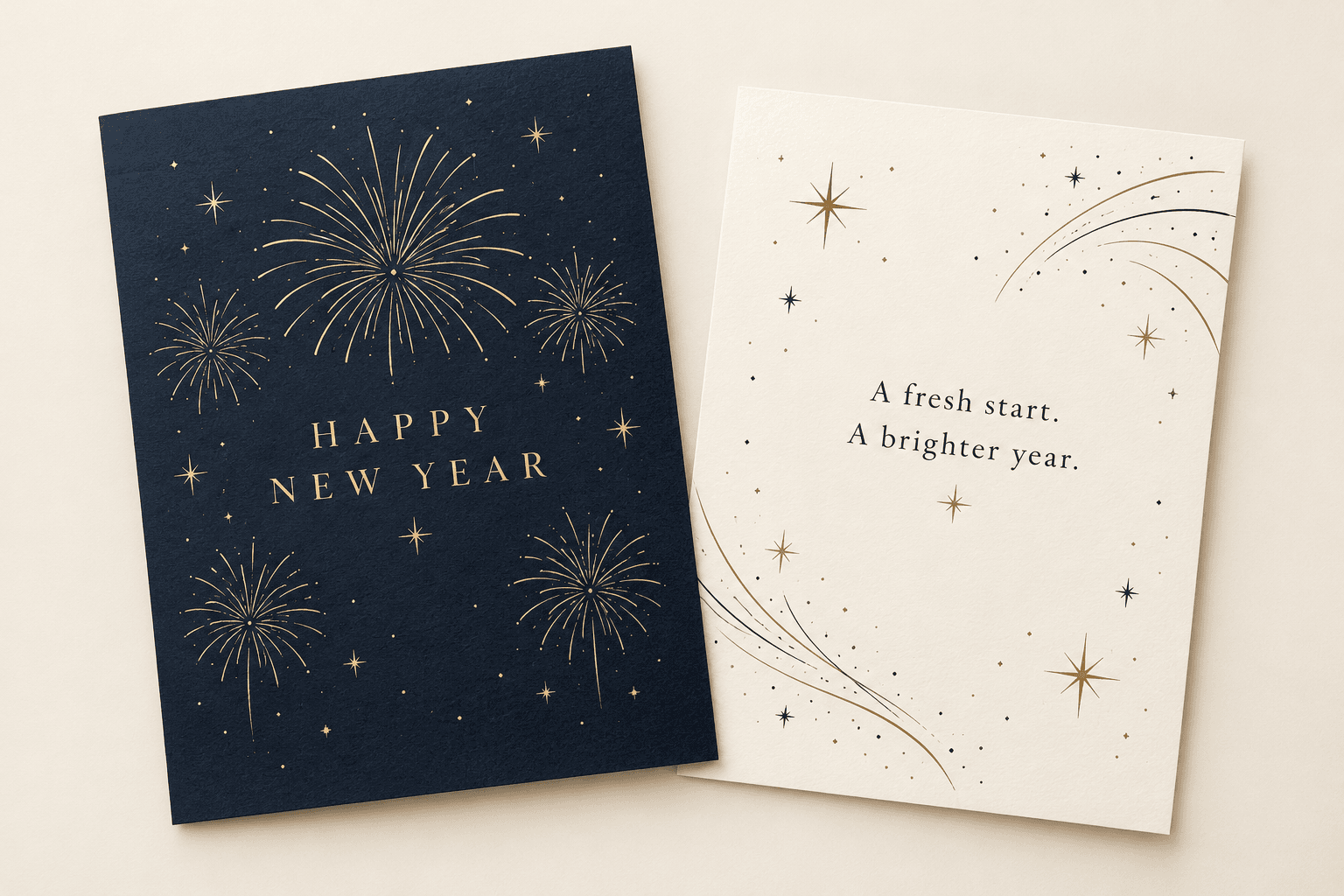
Give New Year's Day greeting cards room to breathe. Keep the greeting and motif on the Front. Add your note and name on the Back. Use the upcoming year, or leave the year out.
Short New Year greetings for cards
Adapt these original examples; they are not quotes or customer reviews:
- “Happy New Year. Wishing you bright days and small joys.”
- “Here's to a fresh start and more time together.”
- “Warm wishes for the year ahead, from all of us.”
- “May your new year bring moments worth keeping.”
- “A new chapter, a kind wish, and a thank you.”
- “Wishing you a peaceful new year.”
- “Wishing you a great year ahead.”
- “Sending love as one year closes and another begins.”
A New Year wishes card needs one true personal detail, not a long speech. Avoid promises about health, wealth, or success.
Choose one New Year card design direction
For a type-led happy New Year greeting card, use a short heading, two colours, and clear space.
A New Year celebration card can use fireworks or a sunrise. Carry one motif onto the Back. A reference can guide colour or subject, but cannot guarantee exact photo placement, likeness, or a collage.
Make your card in MARKFOLDS
Use Generator and the current card workflow:
- Sign in and add the brand or project name and sender details.
- Choose Holiday greeting card, then New Year under Holiday.
- Add approved wording in Artwork direction. Keep an optional Slogan within 80 characters.
- Choose the size, orientation, and visual style.
- Add an optional reference within the limits below.
- Generate and review both sides. Check every word.
For a personal happy New Year card, try a navy sunrise, a short Front wish, and your name on the Back. This is a sample brief, not guaranteed output.
Check the artwork and choose the next step
Check spelling, the year, sender details, contrast, and small text.
For an optional static QR, supply your own URL. Label what it opens and test it. This is not a vCard or scheduled delivery tool.
Download PNG. SVG depends on the current plan and eligible saved artwork; not every design stays editable vector artwork. Check Product Facts and Pricing for current options.
To send Happy New Year wishes, share the exported PNG yourself. Use a separate sharing tool before you start sending a New Year ecard. MARKFOLDS does not send cards.
MARKFOLDS does not supply native PDF, CMYK, printing, mailing, or fulfilment. Ask your printer to approve the final file; its extension alone proves nothing about print readiness.
Frequently asked questions
How can I make a New Year card feel personal?
Choose a recipient and tone. Add one short wish, a true shared detail, and your name. Keep longer notes on the Back.
Does MARKFOLDS have a New Year option?
Yes. Choose Holiday greeting card, then New Year. This selects the occasion, not a gallery of finished templates.
Can I add a reference photo?
Attach one PNG or JPEG, up to 1 MiB, with each dimension up to 2048 pixels. Reattach it after reload or sign-in. Exact placement and likeness are not guaranteed.
Can MARKFOLDS print or send my New Year cards?
No. MARKFOLDS creates digital artwork. Arrange printing or sending elsewhere. Check the available export options first.
Open Generator, choose New Year, and review both sides before using the files.